2025-03-27|Sunatori's Breaking Paywall in WIRED Magazine
Potential Discovery or Invention
A paywall is a method of restricting access to content, with a purchase or a paid subscription, especially news.
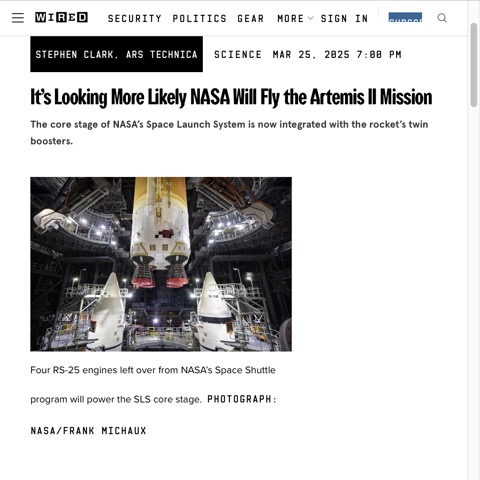
Each article on WIRED Magazine's website shows only kicker, title, subtitle and image, unless you SIGN UP for subscription.
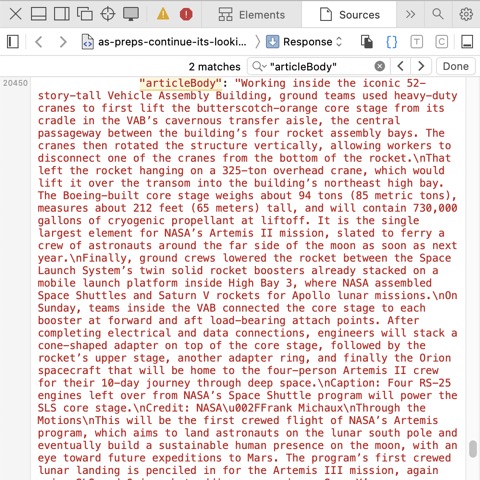
If you don't mind reading text without images, then web browser's "Show Page Source" can reveal the entire text at "
articleBody
".
This hack does not work on Medium, New York Times and most likely many other websites.
Go to home page
/
Aller à la page d'accueil
Go to Weblog
/
Aller au Weblog
English
/
Français
Comments/Commentaire
"
Sunatori, Go Simon
" <
GS.Sunatori@HyperInfo.CA
>
[
Donation/Don
, SVP]
Copyright/Droit d'auteur © 1995-2026 by/par
HyperInfo Canada Inc.
All rights reserved./Tous droits réservés.
Produced in Canada./Produit au Canada.
ISBN 978-0-929105-04-8
2026-08-30T01:01:31.000Z